Easy 3-Step Network Setup for New Sites
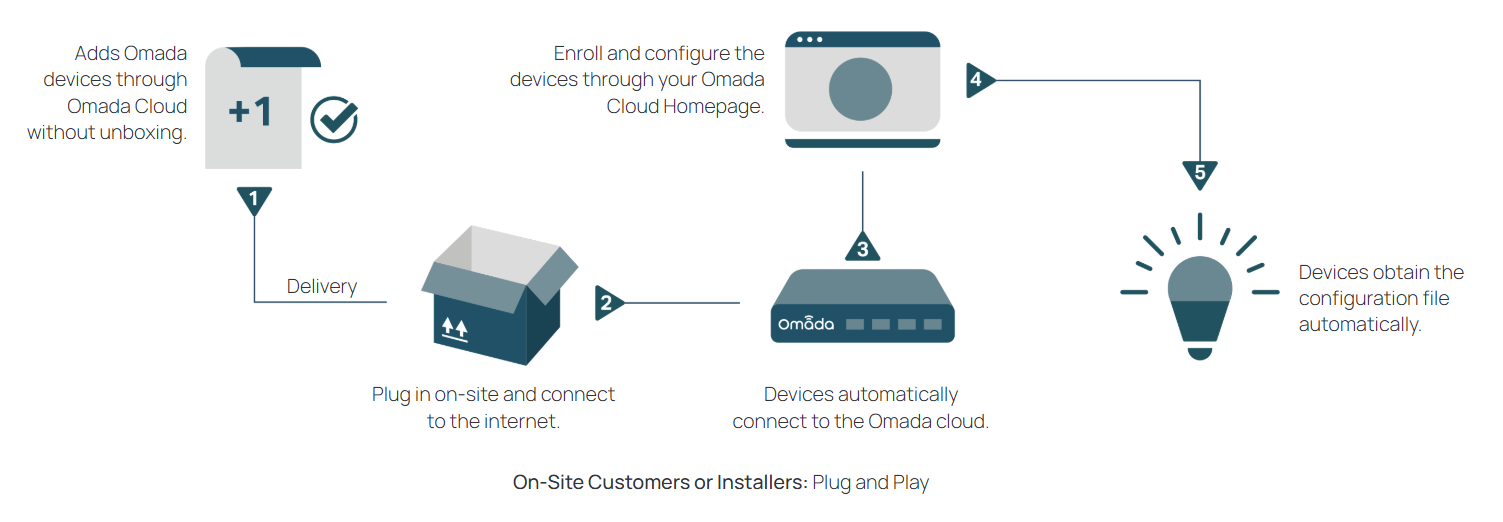
Step 1 — Device Adoption
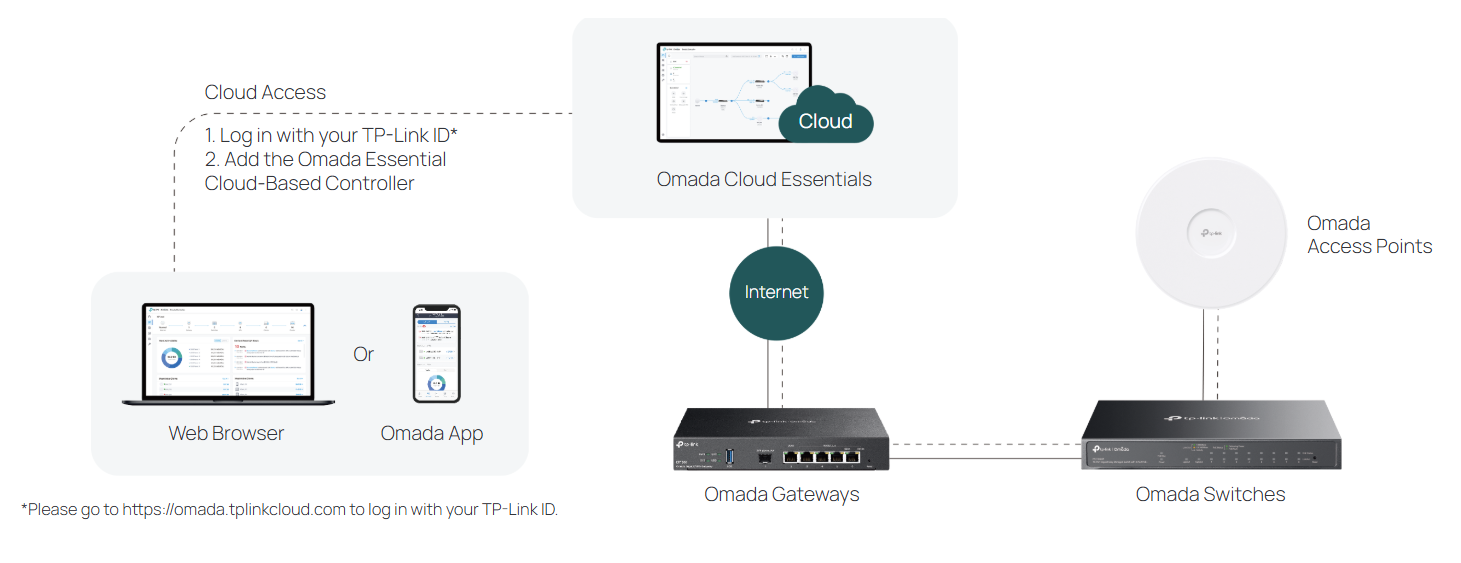
Add an Essential Cloud-Based Controller for the site or use an existing one. Scan the device’s serial number or enter the numeric code to quickly add it to the controller.
Step 2 — Installation and Power On
Install the device on-site or deliver to the customer for installation. Plug in the devices and connect to the internet. The devices will be automatically adopted by the controller.
Step 3 — Easy Configuration
With one click, quickly configure the essential wireless and
wired settings on the homepage, and you’re all set.